Ask any mobile QA engineer what their least favourite part of the job is. A significant number will say the same thing: getting Appium to work.
Not writing tests. Not finding bugs. Getting the environment running in the first place.
The Appium stack — Appium server, WebdriverIO or a similar client, Android SDK, a working ADB connection, the right UIAutomator driver version, and device capabilities config — is a lot of moving parts. Each one can silently fail. Each upgrade cycle risks breaking something else. By the time you’re actually running a test, you’ve already spent an afternoon on infrastructure.
OrbitTest Studio is built on the premise that this shouldn’t be your problem.
What the Appium Tax Actually Costs You
Appium is powerful and battle-tested. But it brings costs that are easy to normalise because they’ve always been there:
- Setup time. A clean Appium setup for Android — server, ADB, UIAutomator2, and device config — takes hours. That cost repeats for every new team member, every new CI machine, and every Android SDK update that shifts paths around.
- Maintenance overhead. Appium versions, driver versions, Android versions, and your test client version form a dependency matrix. When one updates, you spend time reconciling the rest. This is maintenance that produces no new test coverage.
- Fragile configuration. Device capabilities in Appium are JSON blobs. Changing devices often means updating capability sets. Changing environments often means separate configuration per target. It is manageable, but it adds up.
- High barrier for new testers. Someone joining your mobile QA team needs to understand ADB, Appium server modes, driver selection, and WebdriverIO or Appium client APIs before they can write their first test.
None of this is Appium’s fault. It is an ambitious cross-platform framework tackling a hard problem. But for teams doing pure Android automation, much of this complexity is overhead rather than value.
OrbitTest Studio: A Different Starting Point
OrbitTest Studio is a Windows desktop app that bundles everything a mobile QA engineer needs into one place: live device mirror, UI inspector, Monaco IDE, logcat viewer, and a mobile test runner. You plug in your Android device, and you’re writing tests.
Under the hood, it uses ADB and UIAutomator directly. There is no Appium server, no WebdriverIO, and no driver version negotiation. The framework communicates with Android through familiar platform tooling, but the configuration and lifecycle are managed for you.
The setup is four steps:
- Download and install the Studio app on Windows 10 or later.
- Enable USB debugging on your Android device.
- Open Studio and your device appears in the Devices panel automatically.
- Click Install to deploy the OrbitTest Companion app to the device.
That’s it. No server to start. No capabilities JSON to write. No version matrix to manage.
What the IDE Gives You
Studio isn’t just a test runner. It is a complete QA workspace.
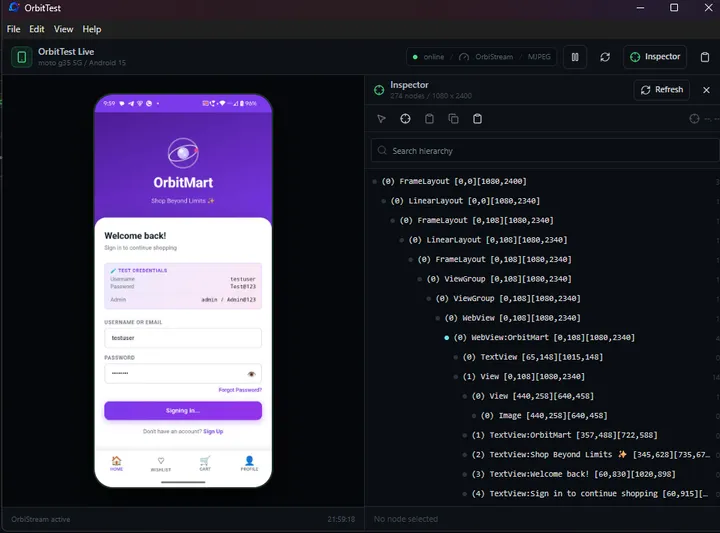
- Live device mirror. Your Android screen streams in real time through the OrbiStream engine. Auto, Low Latency, and High Quality streaming modes let you trade off between responsiveness and fidelity.
- UI Inspector. A UIAutomator hierarchy dump is available alongside your editor. Click any node in the tree to see its bounds, copy its locator, or auto-generate a tap action.
- Monaco editor. The same editor that powers VS Code, with IntelliSense for the OrbitTest mobile API. File explorer, tabs, integrated terminal, Git, and an npm manager are included.
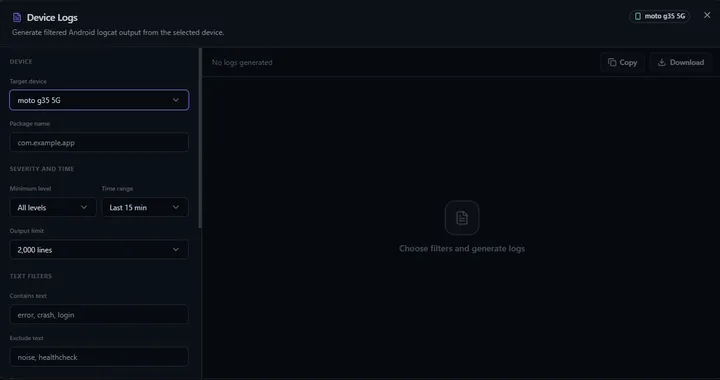
- Logcat viewer. Filter Android logs by package, PID, tag, severity, time range, and keyword patterns. Download the full log or copy it to clipboard when a test fails.
What Tests Actually Look Like
The orbittest/mobile API is designed to feel like the browser OrbitTest API: readable, intent-oriented, and minimal.
const { test, expect } = require('orbittest/mobile');

test('user can sign in', async (orbit) => {
  await orbit.wakeUp();
  await orbit.launchApp('com.example.myapp', 'com.example.myapp.MainActivity');

  await orbit.waitForId('username_field', 10000);
  await orbit.tapById('username_field');
  await orbit.typeText('testuser@example.com');

  await orbit.tapByText('Sign In');
  await orbit.waitForText('Welcome', 10000);

  expect(await orbit.hasText('Welcome')).toBe(true);
});
Compare this to equivalent Appium and WebdriverIO code, which requires device capability configuration, a running Appium server, driver setup, and a more verbose interaction API. The OrbitTest version above is the test, without the surrounding infrastructure.
The mobile API covers the full range of what Android QA needs: app lifecycle, gestures, text and keyboard input, element lookup, waits, device state, screenshots, and logcat evidence.
Run Configurations and Reporting
When you run a test in Studio, you pick a run configuration:
- Quick Run. Smart report on, video always recorded, trace off.
- Trace Run. Step-by-step trace plus smart report plus video.
- Evidence Run. Everything on: trace, smart report, video, and full artifacts.
- Minimal Run. Fastest possible run, with no evidence collection.
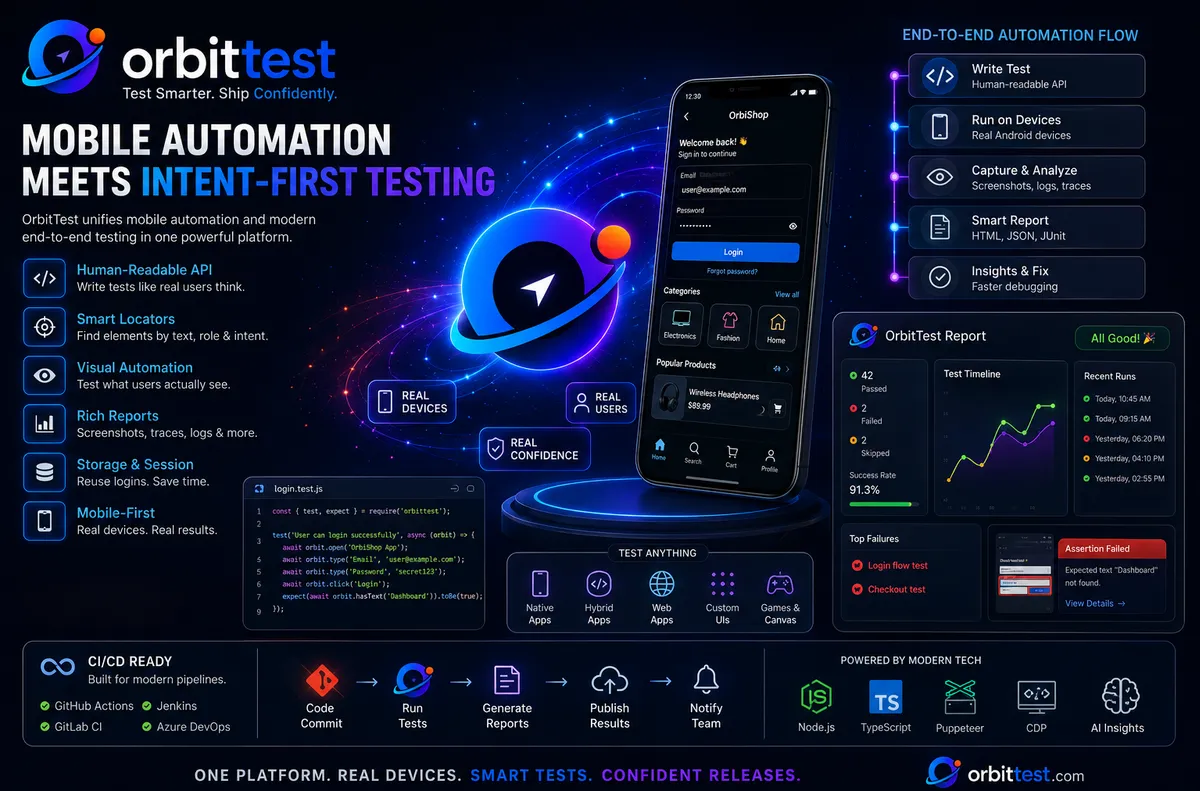
Every run produces an HTML report with pass/fail status, the full action log, a final screenshot, and a device recording with a frame evidence player. When a test fails, you’re not guessing what happened. You have a video, the exact failed step, logcat output, and a screenshot.
The Onboarding Difference
The productivity argument for Studio over Appium is most visible when you think about onboarding.
With an Appium setup, a new mobile QA engineer needs to install the Appium server, select and install the right UIAutomator2 driver, configure ADB, understand device capabilities, and learn the Appium client API. Depending on how well the environment is documented, this can take a day or several.
With OrbitTest Studio, the workflow is simpler: download the app, plug in the device, install the Companion app, open the editor, and start writing tests. The UI inspector is right there to copy locators. The API has IntelliSense. The device mirror shows exactly what’s happening.
A QA engineer with JavaScript experience and a USB cable can be running their first mobile test in under an hour.
What You Give Up
OrbitTest Studio is not a replacement for every Appium use case. If you need the following, Appium may still be the better fit:
- iOS testing. Studio is Android-only. Appium remains the cross-platform choice.
- Remote device labs. Appium integrates with services such as BrowserStack and Sauce Labs. Studio is designed for local and USB-connected devices.
- Selenium Grid integration. Appium’s Selenium-compatible protocol can fit into existing grid infrastructure. OrbitTest Studio does not offer this.
If your team needs iOS coverage or runs a large distributed device lab, Appium’s broader ecosystem is still relevant. OrbitTest Studio is purpose-built for Android, and that focus is where it wins.
The Bottom Line
For QA teams focused on Android, OrbitTest Studio makes a straightforward trade: you give up cross-platform generality, and in return you get a testing environment that’s faster to set up, easier to maintain, and significantly easier to bring new team members into.
The Appium stack will always work. It is mature, flexible, and widely supported. But if your team has spent time debugging driver version mismatches instead of writing tests, or waiting for a new hire to get their environment running instead of reviewing coverage gaps, it is worth asking whether all that complexity is actually serving you.
OrbitTest Studio is the answer to a specific frustration: I just want to write Android tests, not manage a server stack. If that resonates, it is worth an afternoon to try it.