Mobile bugs are often hard to reproduce because the device is part of the system. Screen size, Android version, permissions, network state, battery saver, keyboard behavior, and app install state can all change what happens. A test report that ignores device context gives developers only part of the story.
Evidence reports solve this by collecting the human view and the technical view in one place. The goal is simple: after a failure, another person should be able to understand what happened without asking the tester to repeat the whole investigation.
Start With the Failure Summary
The first thing a report needs is a short summary in product language. “Checkout fails after UPI payment confirmation on Android 13” is more useful than “test failed at step 18.” The failed step matters, but the summary should tell the team what user journey is affected.
A strong summary includes the feature, user action, expected result, and actual result. This helps triage the bug before anyone opens the logs.
Record the User-Visible Flow
Screenshots are useful, but mobile bugs often involve motion: a keyboard covering a field, a spinner that never ends, a permission dialog appearing behind another screen, or a tap that lands on the wrong element. A short recording gives context that a single screenshot cannot.
For automated tests, recording the full run may be worth the storage cost for critical flows. For faster smoke tests, a final screenshot plus action log may be enough. The right level depends on the risk of the flow and how often it fails.
Include the Action Log
An action log is the bridge between the video and the code. It should list each meaningful step: launch app, wait for login screen, type email, tap sign in, wait for dashboard, open settings. Avoid logs that only show low-level commands. QA and product teammates should be able to read the steps and understand the scenario.
1. Launch com.example.app
2. Wait for "Email"
3. Type username
4. Tap "Sign In"
5. Wait for "Dashboard"
6. Capture screenshot on failure
Readable steps also help developers compare the intended flow with the actual app state.
Attach Device Context
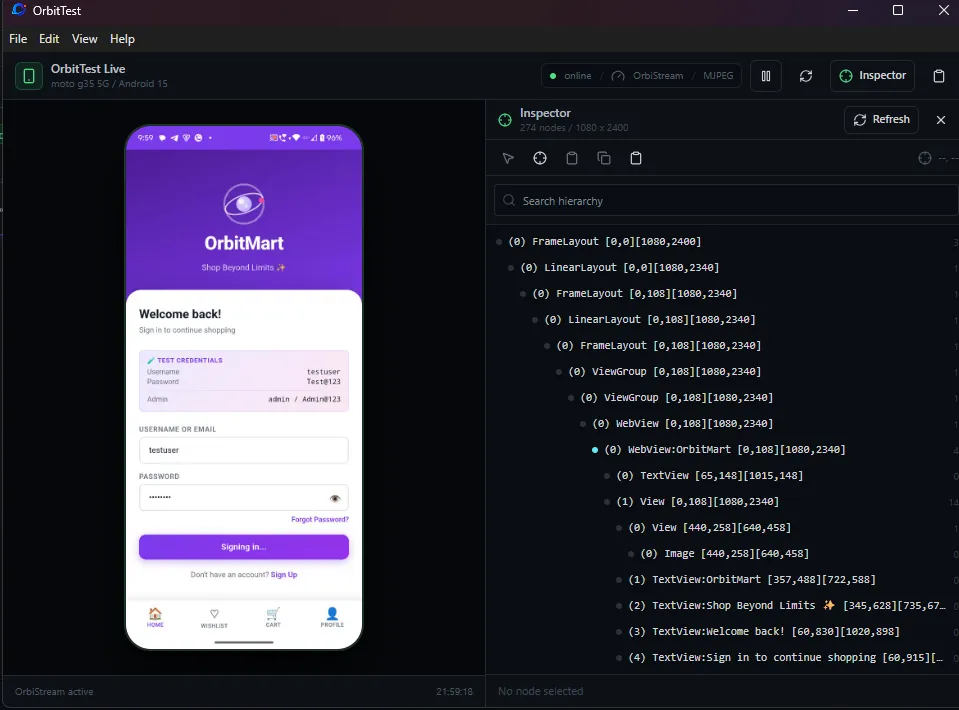
Every mobile evidence report should include device model, Android version, app version, orientation, network state, and whether the app was freshly installed or upgraded. Permission state is also important. A bug that appears only after denying notification permission has a very different cause from a bug that appears on a clean install.
When possible, include screen resolution and density. Layout bugs often depend on these values.
Capture Logcat Around the Failure
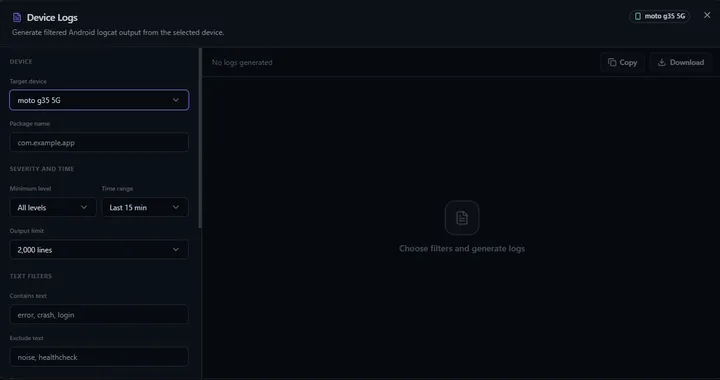
Logcat gives the technical side of the report. It may show a crash, failed network request, permission error, database migration problem, or activity lifecycle issue. The useful slice is usually the few seconds before and after the failed step, filtered by package name or process ID.
Do not attach a huge unfiltered log unless the team asks for it. A focused log is easier to review and less likely to expose sensitive data.
Show Artifacts in One Place
Evidence is strongest when it is connected. A report that links the failed step, screenshot, video frame, and log snippet together is much easier to use than a folder full of separate files. Developers should not have to guess which log belongs to which screen.
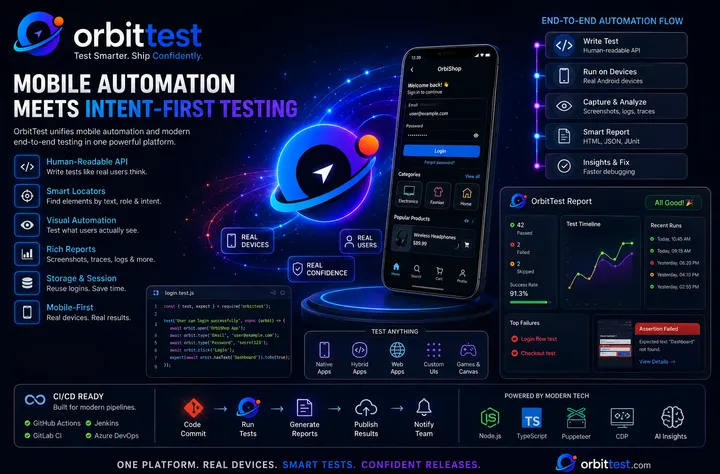
OrbitTest Studio’s evidence-oriented run modes are built around this idea. A run can produce an HTML report, action log, final screenshot, video recording, and device logs so the team can inspect the failure as a single story.
Keep Reports Safe to Share
Mobile evidence can contain private information: emails, tokens, device IDs, server URLs, or customer-like test data. Use dedicated test accounts, avoid real personal data, and review artifacts before sharing outside the immediate team. The best report is detailed and careful.
The Outcome to Aim For
A good evidence report reduces back-and-forth. It gives developers enough context to reproduce or diagnose the issue, gives QA a record of what was tested, and gives product teams confidence that the failure represents a real user risk.
That is the practical standard: not just “the test failed,” but “here is exactly what happened, on this device, with this app build, at this step, with this supporting evidence.”