APIs power nearly every modern application. When you log into a mobile app, check your bank balance, order food, book a cab, or upload a photo, APIs are quietly exchanging data behind the scenes. And on every one of those requests, the server has to answer a deceptively simple question: who are you?
That question is what API authentication exists to answer. It is one of the most important concepts in API development, testing, and security — yet plenty of engineers use it every day without really knowing what happens between the request and the response. This guide fixes that, from first principles to the practical details a tester needs.
🔐 New to the topic? You don’t need a security background to follow along. We’ll build each idea on the last, with real examples you can try yourself.
Table of Contents
- What Is API Authentication?
- Authentication vs Authorization
- The Journey of an API Request
- Basic Authentication
- Encoding vs Encryption vs Hashing
- API Keys
- Bearer Tokens
- JWT Tokens Explained
- OAuth 2.0 Explained
- How API Testers Should Validate Authentication
- Best Practices for API Authentication
- Common Security Mistakes
- Testing Authentication with Orbittest Client
- Frequently Asked Questions
- Conclusion
What Is API Authentication?
Authentication answers one question: “Who are you?”
Whenever a client sends a request to an API, the server needs a reliable way to identify who is asking. Without it, anyone could reach user accounts, financial data, medical records, private files, or administrative functions. Authentication proves identity before access is granted.
Consider a simple request:
GET /users/profileBefore returning anything, the server has to decide: is this a real user, are they logged in, and is their credential valid? Only after that check passes does the request continue. Get this wrong and everything downstream — authorization, data access, auditing — is built on sand.
Authentication vs Authorization
These two words get used interchangeably, but they are not the same thing.
- Authentication asks “Who are you?” — username/password, an API key, an OAuth token, a JWT.
- Authorization asks “What are you allowed to do?” — which actions and resources your identity may access.
A quick example. Two users log in successfully (both are authenticated), but their permissions differ:
| Capability | User A | User B (admin) |
|---|---|---|
| Read profile | ✅ | ✅ |
| Edit profile | ✅ | ✅ |
| Delete users | ❌ | ✅ |
| Manage billing | ❌ | ✅ |
Same authentication, different authorization. When a test fails with a 403 Forbidden, that’s an authorization problem — the user is known but not permitted. A 401 Unauthorized is an authentication problem — the server doesn’t know who you are.
The Journey of an API Request
Most modern authentication follows the same shape. Imagine a user signing in:
- Log in. The client sends credentials.
POST /login - Receive a token. The server verifies the credentials and returns a token.
{ "token": "abc123" } - Attach the token. Every future request carries it in the
Authorizationheader.Authorization: Bearer abc123 - Validate. The server checks the token on each request.
- Respond. If the token is valid, the data comes back.
That request-token-validate loop is the foundation of nearly every authentication method below. The official rules for the header itself are described in the MDN documentation for the Authorization header.
Basic Authentication
Basic Auth is one of the oldest methods. The client sends:
Authorization: Basic dXNlcjpwYXNzd29yZA==It looks secure, but it isn’t, on its own. That value is just username:password joined with a colon and Base64-encoded. For example, admin:secret123 becomes:
YWRtaW46c2VjcmV0MTIzMany beginners assume this is encryption. It is not — it is only encoding, and anyone can decode it instantly. You can prove it to yourself with a Base64 encoder/decoder: paste the string in and the original credentials fall right out. Because of that, Basic Authentication must always travel over HTTPS, never plain HTTP.
Encoding vs Encryption vs Hashing
This is the single biggest source of confusion in API security, so it’s worth slowing down. These three operations look similar but solve completely different problems.
Encoding
Purpose: representation, not security. Encoding reshapes data into a format that’s safe to transmit or store — Base64, URL encoding, UTF-8. It is fully reversible and needs no key.
Hello World → SGVsbG8gV29ybGQ=Anyone can reverse that. Encoding protects nothing; it just changes the shape of data.
Encryption
Purpose: protection. Encryption scrambles data so that only someone with the correct key can read it — AES-256, RSA. It is reversible, but only with the key.
MyPassword123 → 9F81A5D6E7C... (unreadable without the key)If you want to see the difference between “encoded” and “encrypted” hands-on, try the encrypt/decrypt tool next to the Base64 encoder above — same input, very different output and guarantees.
Hashing
Purpose: one-way verification. Hashing turns input into a fixed fingerprint that cannot be reversed.
Password123 → 482C811DA5D5B4BC...This is why well-built servers never store your actual password. They store its hash. At login, the server hashes what you typed and compares fingerprints — if they match, you’re in, and the real password was never stored anywhere.
Here’s the summary every tester should memorize:
| Property | Encoding | Encryption | Hashing |
|---|---|---|---|
| Goal | Representation | Confidentiality | Verification |
| Reversible? | Yes (no key) | Yes (with key) | No |
| Needs a key? | No | Yes | No |
| Example | Base64 | AES-256, RSA | SHA-256, bcrypt |
API Keys
An API key is a simple identifier sent with the request:
x-api-key: abc123xyz456The server checks whether the key is valid and active, and if so, lets the request through.
- Pros: trivial to implement, fast to validate.
- Cons: easy to leak, usually static (long-lived), and limited in what they can express.
Keys are common for public APIs, internal service-to-service calls, and third-party integrations. They identify a project or app more than a user, which is why they’re rarely enough for user-facing security on their own.
Bearer Tokens
Bearer authentication is everywhere in modern APIs:
Authorization: Bearer eyJhbGciOi...The rule is in the name: whoever bears (holds) the token can use it. The token is a temporary access pass — the server doesn’t re-check your password on every call, it just trusts the token.
- Pros: stateless, fast, and a great fit for mobile apps and single-page apps.
- Cons: if a token is stolen, the access is stolen with it — so transport security and short lifetimes matter.
JWT Tokens Explained
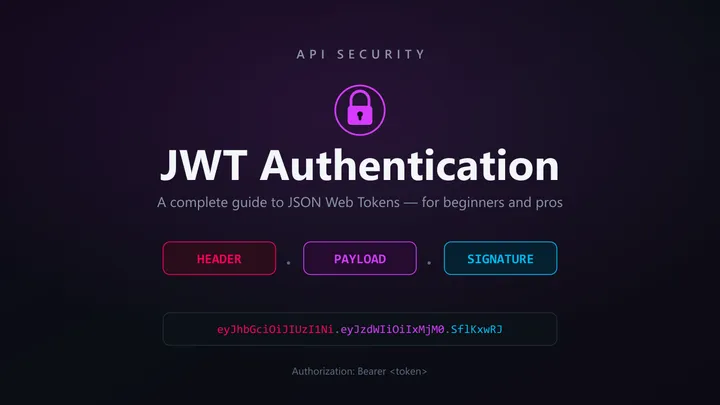
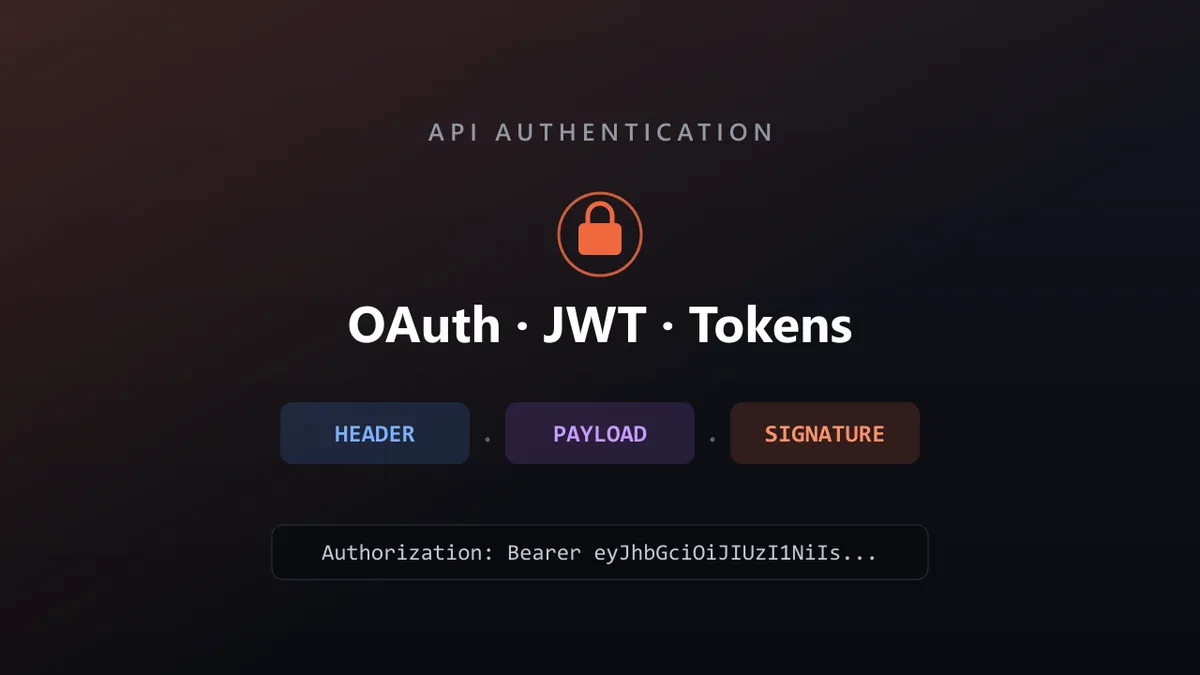
A JWT (JSON Web Token) is the most common format for bearer tokens today. It has three parts separated by dots:
Header.Payload.SignatureHeader — the algorithm and token type:
{ "alg": "HS256", "typ": "JWT" }Payload — the claims (who the user is, what role they have, when the token expires):
{ "userId": 123, "role": "admin", "exp": 1735689600 }Signature — a cryptographic check that proves the token wasn’t tampered with.
A crucial point testers miss: the header and payload are only Base64-encoded, not encrypted. Anyone can read them. The signature doesn’t hide the data — it proves integrity. So never put secrets in a JWT payload. To inspect a real token’s claims and expiry safely, drop it into the JWT debugger; it decodes the three parts for you without sending the token anywhere. The format itself is standardized in RFC 7519, and jwt.io is a handy reference for the structure.
OAuth 2.0 Explained
OAuth 2.0 is the industry standard for delegated access. Instead of handing your password to a third-party app, you authorize the app to act on your behalf. “Log in with Google” is the everyday example:
- The user is sent to Google.
- The user logs in at Google (the app never sees the password).
- Google asks the user to approve specific permissions.
- The user approves.
- Google returns a token to the application.
- The application uses that token to call APIs.
Because the application never touches the password, this is far safer than sharing credentials. OAuth defines four roles worth knowing:
- Resource Owner — the user.
- Client — the application requesting access.
- Authorization Server — issues the tokens.
- Resource Server — holds the protected data.
Access Tokens and Refresh Tokens
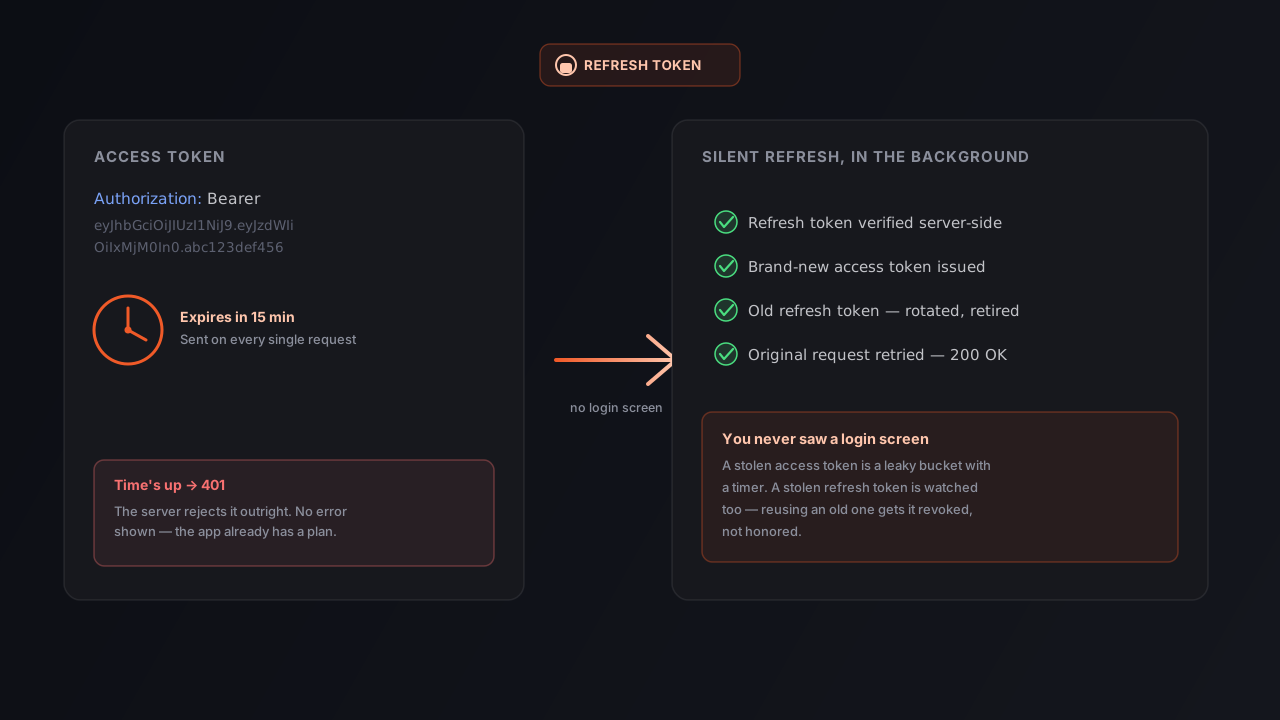
OAuth typically returns a short-lived access token:
{ "access_token": "abc123", "expires_in": 3600 }When it expires, instead of forcing the user to log in again, the app exchanges a longer-lived refresh token for a new access token:
{ "refresh_token": "xyz789" }This keeps users logged in while limiting how long any single access token is useful. For the full protocol, see the official OAuth 2.0 specification (RFC 6749). If you want the deeper mechanics behind the most secure flow, read our companion guide on the Authorization Code flow with PKCE.
How API Testers Should Validate Authentication
Authentication is a rich source of bugs precisely because it has so many edge cases. A solid test pass covers each of these:
| Scenario | Request | Expected |
|---|---|---|
| Missing token | GET /profile (no header) | 401 Unauthorized |
| Invalid token | garbage in Authorization | 401 Unauthorized |
| Expired token | valid format, past exp | 401 Unauthorized |
| Insufficient permission | valid token, wrong role | 403 Forbidden |
| Valid token | correct, in-date token | 200 OK |
A few extra checks that catch real-world failures: confirm a refresh token actually issues a new access token, confirm a logged-out/revoked token stops working, and confirm that error responses don’t leak sensitive details.
Best Practices for API Authentication
- Always use HTTPS/TLS. Authentication over plain HTTP exposes every token and credential in transit.
- Keep token lifetimes short. Pair short access tokens with refresh tokens to limit the blast radius of a leak.
- Never put secrets in a JWT payload. It’s readable by anyone — sign it, don’t trust it to hide data.
- Store tokens carefully on the client. Prefer secure, http-only cookies where appropriate over plain
localStorage. - Scope permissions tightly. Authorize the minimum each token needs, and test that boundaries hold.
- Rotate and revoke. Support key rotation and token revocation, and test that revoked credentials actually fail.
For a thorough, vendor-neutral checklist, the OWASP Authentication Cheat Sheet and the OWASP API Security Top 10 are excellent references to keep nearby.
Common Security Mistakes
Storing tokens in plain text. Dropping a raw token into client storage without protection is a frequent leak path:
localStorage.setItem("token", token); // risky without safeguardsLogging sensitive data. Never log passwords, JWTs, or API keys — log lines end up in dashboards, files, and third-party tools.
Long-lived tokens. A token that never expires is a permanent key if it leaks. Shorter lifetimes dramatically reduce risk.
Using HTTP instead of HTTPS. Authentication without TLS is effectively sending credentials on a postcard.
Testing Authentication with Orbittest Client
Real APIs rarely use just one method. In a single project a tester might touch Basic Auth, bearer tokens, API keys, OAuth 2.0, and JWT-protected endpoints. Orbittest Client provides built-in support for these workflows so requests can be created, executed, validated, and reused efficiently.
With OAuth 2.0 support, you can request, store, and attach access tokens directly from the authentication editor — no copy-pasting bearer tokens between requests. Combined with variables, environments, pre-run scripts, post-run validations, and response analysis, authentication testing becomes faster and far more reliable. Instead of babysitting tokens across dozens of requests, you automate the auth flow and focus on validating business logic. The Orbittest Client user guide walks through setting up environments and auth step by step, and if you need stable, repeatable responses while you build, Ghost Mock Server can replay recorded API responses locally.
Frequently Asked Questions
What is the difference between authentication and authorization?
Authentication verifies who you are (identity), while authorization decides what you’re allowed to do (permissions). A 401 means the server doesn’t recognize you; a 403 means it recognizes you but won’t allow the action.
Is Base64 encoding a form of encryption?
No. Base64 is encoding, not encryption. It has no key and can be reversed by anyone in seconds. It’s used for safe representation of data, never for protecting it.
Are JWT tokens encrypted?
By default, no. A standard JWT’s header and payload are only Base64-encoded and fully readable. The signature guarantees the token hasn’t been altered — it does not hide the contents. Never store secrets in a JWT payload.
What is the difference between encryption and hashing?
Encryption is reversible with the correct key, so protected data can be recovered. Hashing is one-way — you cannot reverse a hash back to the original input, which is why passwords are stored as hashes.
When should I use OAuth 2.0 instead of API keys?
Use OAuth 2.0 when users grant an application access on their behalf (delegated access), especially across third parties. API keys are better for simple service-to-service or public-API identification where no user consent is involved.
Why do access tokens expire so quickly?
Short lifetimes limit damage if a token leaks. Refresh tokens let the app quietly obtain a new access token, so users stay logged in without keeping a long-lived credential in circulation.
How do I test for expired or invalid tokens?
Send requests with a missing, malformed, and expired token and confirm each returns 401 Unauthorized, then send a valid-but-under-privileged token and confirm 403 Forbidden. Tools like the JWT debugger help you craft and inspect those token states.
Conclusion
Authentication is the foundation of API security, and nearly every modern application depends on getting it right. Once you can clearly separate authentication from authorization, encoding from encryption, and encryption from hashing — and you understand how API keys, bearer tokens, JWTs, and OAuth 2.0 fit together — you move from simply using APIs to genuinely understanding them.
So the next time you see this on a request:
Authorization: Bearer eyJhbGciOi...you’ll know exactly what’s happening behind the scenes, why it’s built that way, and how to test that it actually holds up.
Written by Abhay Kumar — QA engineer and creator of OrbitTest, writing about API testing, automation, and web security. Browse more web security guides.