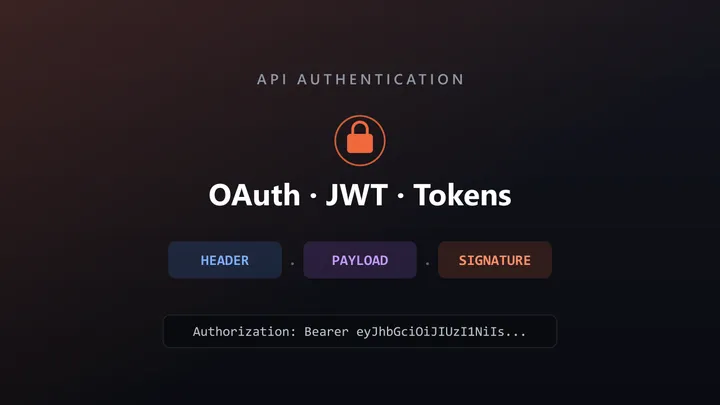
Open the developer tools on almost any web app you use — your bank, your email, your favorite SaaS — and look at the network requests. Somewhere in the headers you will likely find a long, cryptic string that starts with eyJ. That string is a JSON Web Token, or JWT (pronounced “jot”), and it is quietly doing one of the most important jobs on the internet: proving who you are on every request you make.
JWTs are everywhere, yet they are one of the most misunderstood pieces of modern web security. Developers copy a token into a header, watch it work, and move on — without really knowing what those three dot-separated chunks mean, why the token can be trusted, or what happens when it is used incorrectly. That gap is where security bugs are born.
This guide fixes that. We will build up JWT authentication from absolute zero — no prior cryptography knowledge assumed — and then go all the way to the production concerns that trip up experienced engineers: refresh tokens, safe storage, the infamous alg: none attack, and how to actually test the whole thing. If you have ever decoded a token and wondered what you were looking at, start here.
Table of Contents
- What Problem Does a JWT Solve?
- What Is a JWT, Exactly?
- Anatomy of a Token: Header, Payload, Signature
- How the Signature Makes a JWT Trustworthy
- The Full Authentication Flow, Step by Step
- Access Tokens vs Refresh Tokens
- Where Should You Store a JWT?
- JWT vs Sessions: Which Should You Use?
- JWT Security Best Practices
- Common JWT Vulnerabilities and Mistakes
- How to Test JWT Authentication
- Frequently Asked Questions
- Conclusion
What Problem Does a JWT Solve?
To appreciate JWTs, you have to understand the problem they solve. HTTP — the protocol the web runs on — is stateless. Each request is independent; the server does not inherently remember that you logged in two seconds ago. So how does a server know that the request asking for your bank balance actually came from you?
The classic answer was server-side sessions. When you logged in, the server created a session record in its own memory or database and handed your browser a random session ID in a cookie. On every request, the browser sent the ID, and the server looked it up to remember who you were.
This works, but it has a cost: the server must store and look up session state for every logged-in user. With one server that is fine. With dozens of servers behind a load balancer — or a mobile app and a web app and three microservices all talking to the same API — that shared session store becomes a bottleneck and a single point of failure.
JWTs flip the model. Instead of the server remembering who you are, the token itself carries who you are, in a form the server can verify without looking anything up. The information lives in the token, signed so it cannot be tampered with. This is what people mean when they call JWTs “stateless” authentication — and it is what makes them a natural fit for APIs, microservices, and distributed systems. For the broader landscape of how this fits alongside API keys, Basic Auth, and OAuth, see our companion guide on API authentication.
What Is a JWT, Exactly?
A JWT is an open standard (RFC 7519) for representing claims — statements about a user or entity — as a compact, URL-safe string that can be cryptographically verified.
Read that again with the key words highlighted:
- Claims are simply facts: “this user’s ID is 1234,” “their role is admin,” “this token expires at 3:00 PM.”
- Compact and URL-safe means it is small enough to drop into an HTTP header or a URL without special encoding.
- Cryptographically verified means the receiver can prove the token was issued by a trusted party and has not been altered.
A real token looks like this (shortened for readability):
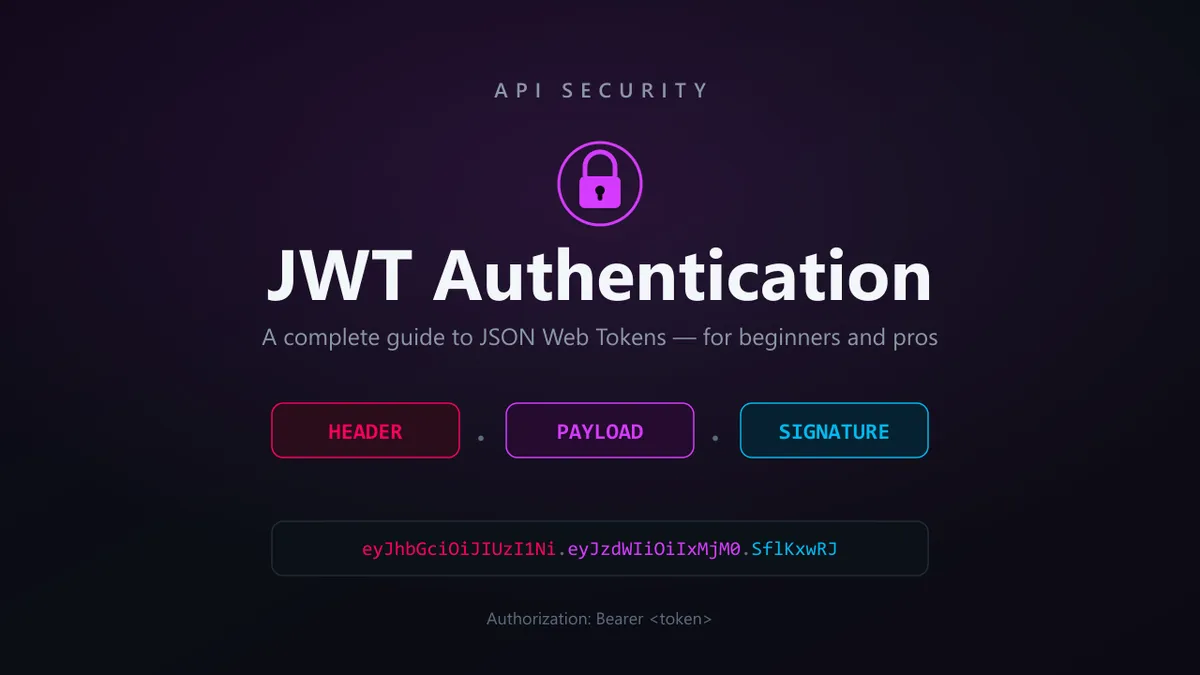
eyJhbGciOiJIUzI1NiIsInR5cCI6IkpXVCJ9.eyJzdWIiOiIxMjM0Iiwicm9sZSI6ImFkbWluIiwiZXhwIjoxNzUwNzQxODAwfQ.SflKxwRJSMeKKF2QT4fwpMeJf36POk6yJV_adQssw5cIt looks like random noise, but it is not encrypted — it is encoded, which is an important distinction we will return to. Those two dots split it into exactly three parts. Let’s pull them apart.
Anatomy of a Token: Header, Payload, Signature
Every JWT has three sections, joined by dots: header.payload.signature. Each section is Base64URL-encoded (a URL-safe variant of Base64). The iconic coloring — red header, purple payload, cyan signature — comes from the way debuggers display them.
1. The Header (the red part)
The header is a small JSON object describing the token itself: what type it is and which algorithm signs it.
{
  "alg": "HS256",
  "typ": "JWT"
}
alg is the signing algorithm (here, HMAC-SHA256). typ is the token type. This JSON is Base64URL-encoded to produce the first chunk.
2. The Payload (the purple part)
The payload holds the claims — the actual data. There are three flavors:
- Registered claims: standardized, optional, short names with specific meanings. The important ones:
sub(subject) — who the token is about, e.g. a user ID.iss(issuer) — who issued the token.aud(audience) — who the token is intended for.exp(expiration) — when the token expires, as a Unix timestamp.iat(issued at) — when it was created.nbf(not before) — the earliest time it is valid.
- Public claims: custom claims you define, ideally namespaced to avoid collisions.
- Private claims: agreed between the parties using the token, like
roleortenant_id.
{
  "sub": "1234",
  "role": "admin",
  "iat": 1750738200,
  "exp": 1750741800
}
Critical point for beginners: the payload is encoded, not encrypted. Anyone who has the token can decode and read it. Never put passwords, secrets, or sensitive personal data in a JWT payload. Assume the contents are public.
3. The Signature (the cyan part)
The signature is what makes the whole thing trustworthy. It is created by taking the encoded header and payload, and signing them with a secret (or private key):
HMACSHA256(
  base64UrlEncode(header) + "." + base64UrlEncode(payload),
  secret
)
The result is Base64URL-encoded as the third chunk. The signature does not hide the data — it seals it. Change a single character of the header or payload, and the signature no longer matches. That is the entire security model, and it deserves its own section.
How the Signature Makes a JWT Trustworthy
Here is the question that confuses almost everyone at first: if anyone can read the payload, what stops an attacker from changing "role": "user" to "role": "admin" and sending it back?
The answer is the signature. To produce a valid signature for the tampered payload, the attacker would need the secret key that only the server knows. Without it, any change they make to the header or payload produces a signature that fails verification, and the server rejects the token.
There are two families of signing algorithms, and the difference matters:
| Symmetric (e.g. HS256) | Asymmetric (e.g. RS256, ES256) | |
|---|---|---|
| Keys | One shared secret | A private key (signs) + public key (verifies) |
| Who can sign | Anyone with the secret | Only the holder of the private key |
| Who can verify | Anyone with the secret | Anyone with the public key |
| Best for | A single trusted service | Multiple services; third parties verifying tokens |
With HS256 (symmetric), the same secret both creates and checks the signature. Simple, but every service that needs to verify must also be able to sign — which is risky if many services are involved.
With RS256 (asymmetric), the issuer signs with a private key it guards closely, and any number of other services verify using the freely shareable public key. They can confirm a token is genuine but can never forge one. This is why large identity providers and OAuth systems prefer RS256. (Our deep dive on the OAuth Authorization Code flow with PKCE shows asymmetric tokens in a full real-world flow.)
One more distinction worth knowing: a standard signed JWT is technically a JWS (JSON Web Signature) — signed but readable. There is also JWE (JSON Web Encryption), where the payload itself is encrypted so it cannot be read at all. When people say “JWT,” they almost always mean JWS. If you genuinely need the contents hidden, reach for JWE — but most of the time, “don’t put secrets in the payload” is the better rule.
The Full Authentication Flow, Step by Step
Let’s connect everything into the journey a token takes in a real app:
-
Login. The user sends their username and password to the server (over HTTPS, always).
-
Verification. The server checks the credentials against its database.
-
Token issuance. If they are valid, the server builds a JWT — header, payload with claims like
subandexp, and a signature created with its secret key — and sends it back to the client. -
Storage. The client stores the token (more on where shortly).
-
Authenticated requests. On each subsequent request, the client attaches the token in the HTTP header:
GET /api/account/balance HTTP/1.1 Host: api.example.com Authorization: Bearer eyJhbGciOiJIUzI1NiIsInR5cCI6IkpXVCJ9... -
Verification on every request. The server recomputes the signature using its secret and compares it to the token’s signature. If they match and the token has not expired (
expis in the future), the request is trusted. Crucially, the server does this without any database lookup — everything it needs is in the token. -
Expiry. When the token expires, the server rejects it, and the client must obtain a new one — which brings us to refresh tokens.
The word Bearer in that header is meaningful: it means “whoever bears this token may use it.” There is no second factor at this stage. That is exactly why protecting the token matters so much.
Access Tokens vs Refresh Tokens
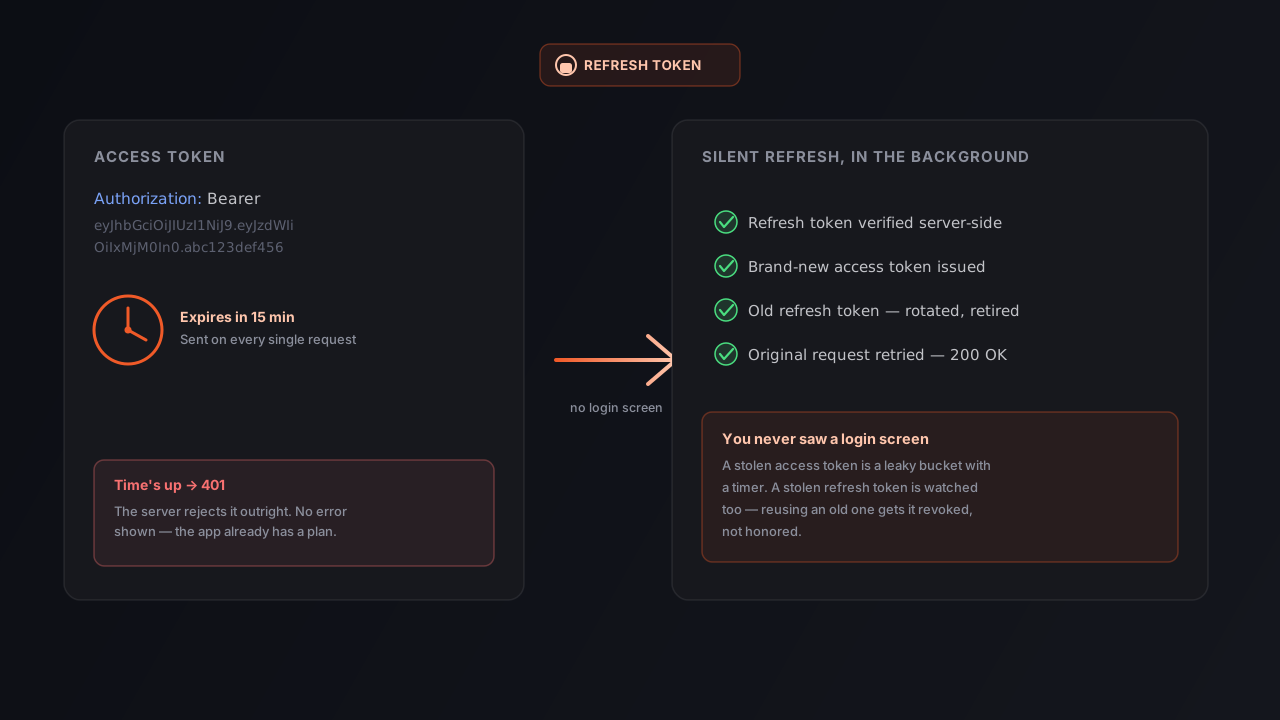
There is an inherent tension in JWT design. You want tokens to be short-lived so that a stolen token is only useful briefly. But you also do not want to force users to log in every fifteen minutes. The solution is to use two tokens.
- Access token: a short-lived JWT (often 5–15 minutes) sent on every API request. Because it is stateless, the server cannot easily revoke it — so you keep its lifetime short to limit the damage if it leaks.
- Refresh token: a long-lived credential (days or weeks), stored more securely and sent only to a dedicated refresh endpoint. When the access token expires, the client quietly exchanges the refresh token for a fresh access token — no re-login required.
This split gives you the best of both worlds: requests are fast and stateless, exposure windows are tiny, and the user stays logged in. Refresh tokens are typically stored server-side or tracked so they can be revoked (for example, on logout or when suspicious activity is detected), which restores the ability to cut off access that pure stateless access tokens lack.
A good practice is refresh token rotation: each time a refresh token is used, it is invalidated and a new one issued. If an old refresh token is ever reused, that is a strong signal of theft, and the whole token family can be revoked.
Where Should You Store a JWT?
This is one of the most consequential — and most debated — decisions in JWT authentication, because it determines which attacks you are exposed to.
| Storage | Protects against | Vulnerable to | Notes |
|---|---|---|---|
localStorage | Easy to use from JS | XSS — any injected script can read it | Convenient but risky; avoid for sensitive apps |
sessionStorage | Cleared on tab close | XSS | Same XSS risk as localStorage |
HttpOnly cookie | XSS (JS cannot read it) | CSRF (mitigable) | Generally the safest default |
The two threats to understand:
- XSS (Cross-Site Scripting): an attacker injects malicious JavaScript into your page. If your token lives in
localStorage, that script can read and steal it. AnHttpOnlycookie is invisible to JavaScript, so XSS cannot read it. - CSRF (Cross-Site Request Forgery): a malicious site tricks the user’s browser into sending a request to your API using cookies it automatically attaches. This is the trade-off with cookies — but it is well-understood and mitigated with the
SameSitecookie attribute and anti-CSRF tokens.
The modern consensus for browser apps: store tokens in HttpOnly, Secure, SameSite cookies and mitigate CSRF, rather than putting them in localStorage where a single XSS flaw hands an attacker the token. For mobile and native apps, use the platform’s secure storage (Keychain on iOS, Keystore on Android). And regardless of storage, always transmit tokens over HTTPS so they cannot be sniffed in transit.
JWT vs Sessions: Which Should You Use?
JWTs are not automatically better than sessions — they are a different set of trade-offs. Here is the honest comparison:
| JWT (stateless) | Server-side sessions | |
|---|---|---|
| Server storage | None needed to verify | Stores every active session |
| Scales across servers | Easily | Needs a shared session store |
| Revocation | Hard (token valid until expiry) | Easy (delete the session) |
| Payload visibility | Readable by anyone holding it | Opaque ID only |
| Best fit | APIs, microservices, mobile | Traditional web apps, when instant revocation matters |
The headline trade-off is revocation. A session can be killed instantly by deleting it server-side. A stateless JWT, by design, remains valid until it expires — you cannot easily “un-issue” it. Teams work around this with short expiry times plus a server-side denylist of revoked tokens, but notice that the denylist reintroduces exactly the server-side state JWTs were meant to avoid. If your application’s security model demands instant, reliable logout-everywhere, sessions (or a hybrid) may serve you better. If you are building a horizontally scaled API, JWTs shine.
The right answer is “it depends on your requirements” — and being able to articulate why is what separates someone who copies a token into a header from someone who designs authentication.
JWT Security Best Practices
If you take away a checklist, make it this one:
- Always use HTTPS. A bearer token sent over plain HTTP can be read by anyone on the network. This is non-negotiable.
- Keep access tokens short-lived. Minutes, not days. Pair them with refresh tokens for usability.
- Never store secrets in the payload. It is readable. No passwords, no private keys, no sensitive personal data.
- Always verify the signature and the algorithm. Reject tokens whose
algis not what you expect (see thenoneattack below). Pin the algorithm server-side; do not trust the header to tell you how to verify. - Validate the standard claims. Check
exp(expiry),iss(issuer), andaud(audience). A token valid for a different service should not be accepted by yours. - Use a strong secret or proper keys. For HS256, use a long, random secret — not
secret123. For RS256, protect the private key. - Prefer
HttpOnlycookies for browser storage and secure platform storage on mobile. - Implement refresh token rotation and a revocation strategy so a leaked token can be contained.
Common JWT Vulnerabilities and Mistakes
Knowing the attacks is how you avoid building them in:
- The
alg: noneattack. The JWT spec allows an “unsecured” token withalg: noneand no signature. A naive verifier that trusts the header will accept a forged token with no signature at all. Always rejectnoneand enforce the expected algorithm server-side. - Algorithm confusion (RS256 → HS256). An attacker takes a system that verifies with an RS256 public key, then sends a token signed with HS256 using that public key as the HMAC secret. A poorly written verifier uses the public key to check an HMAC and accepts the forgery. The fix: never let the token’s header dictate the algorithm — fix it server-side.
- Putting sensitive data in the payload. Covered above, but it bears repeating because it is so common. The payload is public.
- No expiration. A token without
expis valid forever. If it leaks, the attacker has permanent access. Always set a reasonable expiry. - Weak or hard-coded secrets. A guessable HS256 secret lets an attacker mint their own valid tokens. Use long, random secrets and rotate them.
- Not validating
aud/iss. Accepting any well-signed token, regardless of who it was for, lets a token from one service be replayed against another. - Trusting an expired or tampered token because verification was skipped. Decoding is not verifying. Reading the payload tells you nothing about whether the token is genuine — you must check the signature.
How to Test JWT Authentication
Understanding JWTs is half the job; verifying that your implementation behaves correctly is the other half. Good news: this is very testable, and you do not need to build tooling from scratch.
Start by inspecting the token. When auth misbehaves, the first move is to look inside the token rather than guess. Paste it into the free JWT Debugger to instantly see the decoded header and payload, the algorithm, and the claims. Check the exp claim — half of all “authentication is broken” tickets are simply an expired token, and a debugger proves it in seconds. (If the exp value is a raw Unix timestamp, a timestamp converter turns it into a human-readable expiry.)
Then test the behavior, not just the happy path. A robust JWT implementation must reject bad tokens, not only accept good ones. Your test matrix should cover:
| Scenario | Expected result |
|---|---|
| Valid, unexpired token | 200 OK |
Expired token (exp in the past) | 401 Unauthorized |
| Tampered payload (signature broken) | 401 Unauthorized |
Missing Authorization header | 401 Unauthorized |
| Valid token, insufficient role | 403 Forbidden |
alg: none token | 401 Unauthorized (must reject) |
Token for the wrong aud | 401 Unauthorized |
Running these by hand — attaching tokens, flipping a character to break a signature, watching the status code — is exactly the kind of repetitive request work that a dedicated API client makes painless. With Orbittest Client you can attach bearer tokens to requests, store them as variables so you are not copy-pasting between calls, run OAuth 2.0 flows, and assert on 401/403 responses — all locally, without secrets leaving your machine. Once you have these checks written, they become a regression suite that catches the day someone accidentally disables signature verification. For where these status codes come from and what each one means, our HTTP status codes guide is a useful companion.
Frequently Asked Questions
What is JWT authentication in simple terms?
JWT authentication is a way for a server to verify who you are without storing your session. When you log in, the server gives you a signed token containing your identity. You send that token on every request, and the server checks its signature to trust it — no database lookup required. It is like a tamper-proof ID badge you carry, rather than a guest list the server keeps.
Is a JWT encrypted?
No. A standard JWT is encoded, not encrypted. Anyone holding the token can decode and read the header and payload. It is the signature that provides security — it proves the token has not been altered and came from a trusted issuer. Never put sensitive data in a JWT payload. If you truly need the contents hidden, use JWE (JSON Web Encryption).
What is the difference between an access token and a refresh token?
An access token is a short-lived JWT (often minutes) sent on every API request to prove your identity. A refresh token is a longer-lived credential used only to obtain a new access token when the old one expires, so you do not have to log in again. Short access tokens limit damage if one leaks; refresh tokens keep the experience seamless.
Where should I store a JWT in a web app?
The safest default is an HttpOnly, Secure, SameSite cookie, which JavaScript cannot read (protecting against XSS) while mitigating CSRF with cookie attributes. Storing tokens in localStorage is convenient but exposes them to theft via XSS. On mobile, use the platform’s secure storage such as the iOS Keychain or Android Keystore.
Can a JWT be revoked before it expires?
Not easily — that is the main trade-off of stateless tokens. A JWT remains valid until its exp time. Teams work around this with short expiry times, refresh token rotation, and a server-side denylist of revoked tokens. If instant, reliable revocation is essential to your security model, consider server-side sessions or a hybrid approach.
How do I check if a JWT has expired?
Decode the token and read the exp claim, which is a Unix timestamp. If that time is in the past, the token has expired. A JWT Debugger shows the decoded claims instantly, and a timestamp converter turns the exp value into a readable date so you can confirm at a glance.
What is the alg: none attack?
The JWT spec permits an unsecured token with the algorithm set to none and no signature. If a server naively trusts the header and skips verification, an attacker can forge a token with any claims they like. The defense is to always enforce the expected signing algorithm server-side and reject none outright.
Is JWT better than session-based authentication?
Neither is universally better; they are different trade-offs. JWTs are stateless and scale effortlessly across many servers, making them ideal for APIs and microservices, but they are hard to revoke. Sessions are easy to revoke instantly but require shared server-side storage to scale. Choose based on whether scalability or instant revocation matters more for your app.
Conclusion
A JWT is not magic, and it is not random noise. It is three readable, Base64URL-encoded parts — a header that names the algorithm, a payload that carries your claims, and a signature that seals them so they cannot be forged. Understand that one structure, and the rest of JWT authentication falls into place: why the payload must never hold secrets, why short-lived access tokens pair with refresh tokens, why storage choice decides your attack surface, and why “encoded, not encrypted” is the most important sentence in this article.
The teams that get JWTs wrong are almost always the ones who treated the token as a black box — copied it into a header, saw it work, and never looked inside. Now you know how to look inside, what to check, and how to test that your implementation rejects the bad tokens as reliably as it accepts the good ones.
When a token misbehaves, don’t guess — decode it in the JWT Debugger, check the claims and expiry, and verify the behavior in Orbittest Client. And to see JWTs in the wider context of OAuth, API keys, and sessions, read our API authentication guide next.
Written by Abhay Kumar — QA engineer and creator of OrbitTest, building practical tools for browser, mobile, and API testing. Browse more web security articles.