If you have ever checked the weather on your phone, paid for something online, or clicked “Log in with Google,” you have already used an API — probably before breakfast. So what is an API, really? Most explanations drown beginners in jargon. This one won’t. By the end of this guide you will know what an API is, how APIs work behind the scenes, and you will have called a real one yourself — no coding experience required.
What is an API? A simple definition
An API (Application Programming Interface) is a set of rules that lets one piece of software ask another for information or actions. Your weather app, for example, does not store forecasts — it sends a request to a weather API, which returns the data in a structured format.
That’s the whole idea. Two programs need to talk. The API is the agreed way of talking.
Let’s unpack the two technical words in that definition:
- A request is simply a question one program sends to another: “Give me tomorrow’s forecast for Mumbai.”
- A server is a computer, usually far away in a data center, that holds the data and answers those questions.
Everything else in this guide builds on those two words.
The restaurant analogy: an API is a waiter
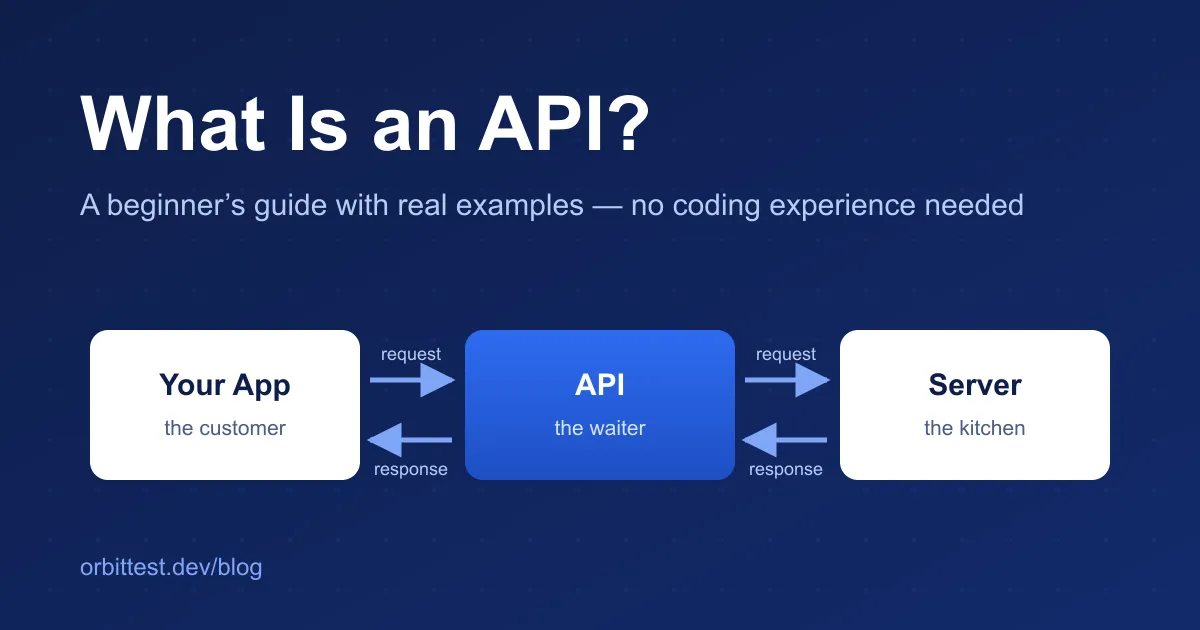
Imagine you are sitting in a restaurant. You are hungry, and the kitchen has food. But you don’t walk into the kitchen and start cooking — a waiter takes your order, carries it to the kitchen, and brings your food back.
That waiter is the API:
- You (the customer) are the app — your phone’s weather app, a website, a game.
- The kitchen is the server — where the data and the real work live.
- The waiter (the API) carries requests in and responses out, following house rules: you order from the menu, and the food comes to your table.
And you can only order what’s on the menu. In the same way, an API offers a fixed list of things you can ask for, called endpoints — one endpoint might be “the list of users,” another “user number 1.”
How do APIs work, step by step?
Here is the same idea as a picture:
Step by step:
- Your app sends a request. “Give me the details of user number 1.”
- The API receives it and passes it to the server. It also checks the rules — is the request valid? Is this app allowed to ask?
- The server does the work — it looks up the data — and hands the answer back to the API.
- The API returns a response to your app, usually within a fraction of a second.
The response almost always arrives in a format called JSON (JavaScript Object Notation). JSON is just structured text, written as pairs of labels and values:
{
  "id": 1,
  "name": "Leanne Graham",
  "email": "Sincere@april.biz"
}
You can read it, and so can a program. That is exactly why APIs love it. When a response is long and squashed onto one line, a free JSON formatter will indent it neatly so your eyes don’t water.
The parts of an API URL, explained
Every API request starts with a URL — the address you are sending the request to. URLs look intimidating, but they only have a few parts:
- Protocol (
https://) — the language and safety rules of the conversation. The “s” means the connection is encrypted, so nobody can eavesdrop. - Domain (
jsonplaceholder.typicode.com) — which server on the internet you are talking to. Think of it as the building’s street address. - Path (
/users) — the endpoint: which specific door inside the building you are knocking on./usersmeans “the users data.” - Query string (
?id=1) — optional extra details, like telling the waiter “no onions.” Here it narrows the request down to the user with id 1.
That’s genuinely all a URL is: address, door, and instructions.
A real API example you can try: JSONPlaceholder
JSONPlaceholder is a free fake API built for practice. It serves made-up users, blog posts, and to-do lists, so you can experiment without signing up for anything — and without any risk of breaking something real.
Try it right now — paste this into your browser’s address bar:
https://jsonplaceholder.typicode.com/users/1Your browser sends a GET request — the most common type of API request, which simply means “fetch me this data.” The API replies with JSON describing a pretend user named Leanne Graham: her name, email, address, and company.
Congratulations — you just called an API. No code, no tools, no account.
JSONPlaceholder also offers other endpoints to explore: /posts (fake blog posts), /todos (fake to-do items), and /comments. It even accepts requests that create or delete data, but it only pretends to save them — which makes it the perfect sandbox.
Your first API call in code
When an app calls an API, it does the same thing your browser just did — only in code. Here is the JavaScript version, using the built-in fetch function:
// 1. Ask the API for user number 1
fetch('https://jsonplaceholder.typicode.com/users/1')
  // 2. When the reply arrives, unpack the JSON text into usable data
  .then((response) => response.json())
  // 3. Do something with the data
  .then((user) => {
    console.log(user.name); // prints: Leanne Graham
  });
What just happened, in plain English: the code knocked on the /users/1 door of the JSONPlaceholder server, waited for the JSON reply, and then read the name field out of it — exactly like reading a label off a parcel that just arrived.
If someone hands you an API command written for the terminal (a curl command — you’ll see these a lot in documentation), most languages have a way to turn it into ready-to-run code. And when a response is huge and you only need one value buried deep inside it, the walkthrough below shows you how to find its exact location.
What is API testing? (And web service testing?)
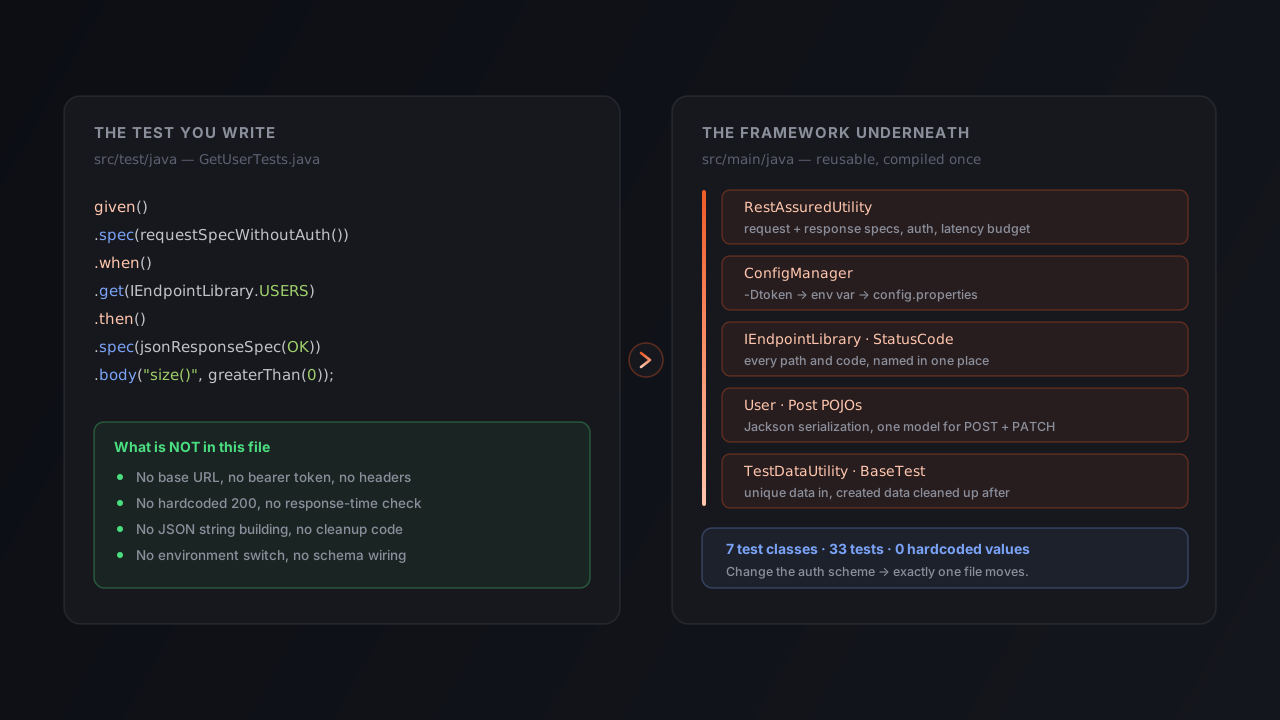
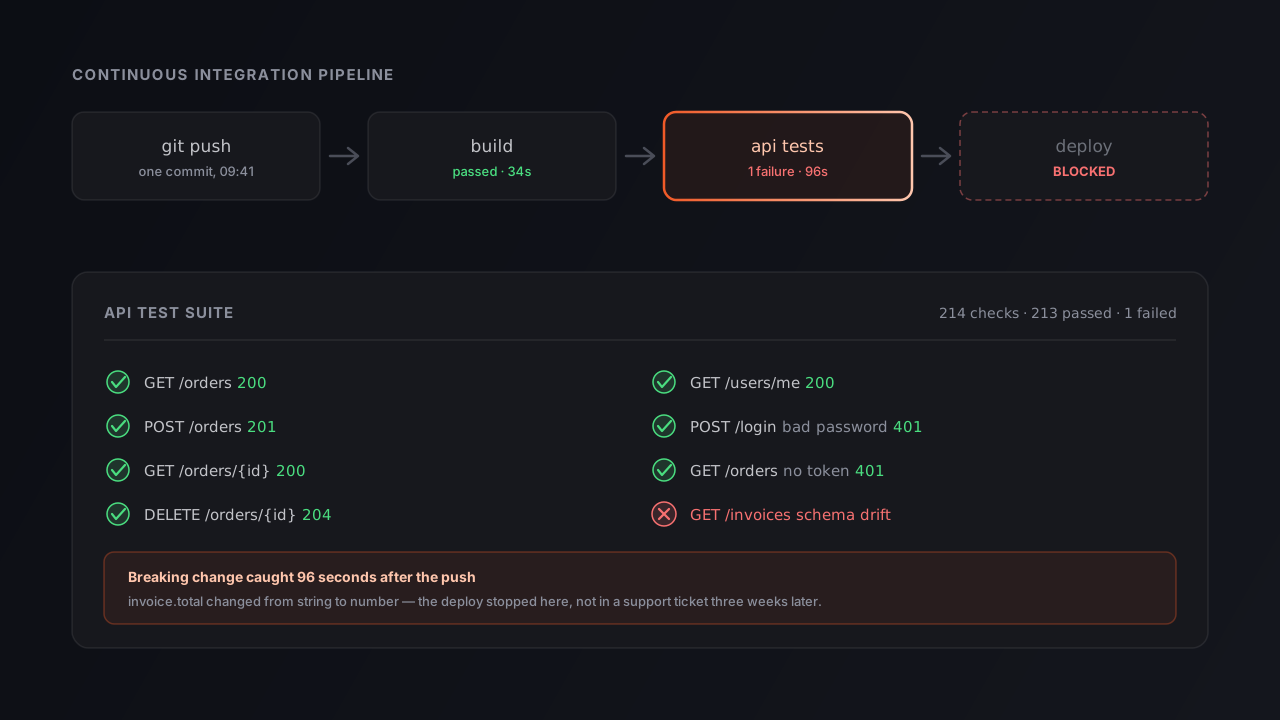
How do we make sure an API works correctly? That practice is called API testing — and when the API is reached over the web, it’s also called web service testing. For everyday purposes they mean the same thing: checking the waiter, not the dining room. Testing a website checks what users see; testing an API checks the answers it gives. A beginner-friendly checklist:
- Did it answer at all? Every response carries a status code — a three-digit number like
200(all good) or404(not found). Our guide to HTTP status codes explains them all with real examples. - Is the answer correct? Ask for user 1 — did you get user 1, with the fields you expected? Compare two responses side by side to catch anything unexpected.
- Is it fast enough? A response that takes ten seconds might be “working,” but no user will wait for it.
- Does it fail politely? Ask for a user that doesn’t exist. A well-behaved API returns a clear error, not a crash.
You can do all of this without writing a single line of code. A desktop API client like Orbittest Client lets you build requests by filling in boxes, sends them with one click, and shows the status, timing, and JSON response in a readable view. It can even replay recorded responses as a local mock server — handy once you start testing apps whose backend isn’t ready yet. And when you’re ready to go deeper, our roundup of free API testing tools maps out the whole toolbox.
Try it yourself: a five-minute practice session
Ready? This takes five minutes and uses only your browser:
- Call an API. Open
https://jsonplaceholder.typicode.com/usersin a browser tab. That’s a GET request to the/usersendpoint — you’ll see a list of ten fake users in JSON. - Make it readable. Copy the whole response, paste it into the JSON formatter, and watch it turn into neatly indented, collapsible data.
- Change the endpoint. Edit the URL to
/users/3, then/todos/1, then/posts/42. Notice how the path decides what data comes back — you’re navigating the menu now. - Hunt for a value. Paste one response into the JSON path finder and click any field to get its exact path — the skill you’ll use constantly in real API testing.
- Break something (safely). Request
/users/9999. The user doesn’t exist, so the API returns an empty result with a404status code — your first negative test.
Do those five steps and you have already done more hands-on API work than most people who “know the theory.”
Frequently asked questions
Do I need to know how to code to understand or test APIs?
No. You can call many APIs straight from your browser’s address bar and read the response as text. Free browser tools like a JSON formatter make the response easy to read, and API clients let you build requests by filling in boxes instead of writing code. Coding helps later, but it is not the starting point.
What is the difference between an API and a web service?
A web service is a specific kind of API — one you reach over a network using web technology like HTTP. All web services are APIs, but not all APIs are web services: some APIs live inside your own computer or inside a single program. In everyday conversation about websites and apps, the two words are often used interchangeably.
Is JSONPlaceholder free and safe to practice on?
Yes. JSONPlaceholder is a free fake API made for learning and prototyping. It serves made-up data — pretend users, posts, and to-do items — so there is nothing private to break or leak. It even accepts create, update, and delete requests, but it only simulates them: the server replies as if the change worked, and nothing is actually saved.
What is JSON and why do APIs use it?
JSON (JavaScript Object Notation) is a plain-text format for structured data, written as pairs like "name": "Leanne Graham". APIs use it because it is easy for programs to read and write, and still readable by humans. Almost every modern API sends its responses in JSON.
Conclusion
So, what is an API? It’s the waiter between your app and the kitchen: it carries a request to a URL, the server does the work, and a JSON response comes back. You’ve now seen every piece of that sentence in action.
The best next step is practice, not more theory. Run the five-minute session above, keep HTTP status codes explained open as your reference, and when requests start needing logins and tokens, API authentication explained is the natural next read.
Every API expert started exactly where you are now: typing a strange URL into a browser and being quietly amazed that something answered.